
Want to watch YouTube videos offline? Well, this is completely normal especially when you are on a subway, a plane, or somewhere else with poor internet or you simply just want to save your limited mobile data. However, you step right into a a grey market full of traps the very moment you go for Google and search for “YouTube to MP4”, “YouTube downloader”, anything like that.
You know what, over the past few years, this market has grown more sophisticated, moving from crude virus bundling to something far quieter called proxyjacking. The back-and-forth between the platform and these grey operators never really stops.
In this article, I will go through the main problems in the YouTube download world, one by one. And, you will see what are real traps, which ones appear legitimate but actually violate terms of service, and the truly safe methods available to ordinary users.
Everything Starts with One Simple Fact
Before getting started, it helps to start with the legal and contractual bottom line.
YouTube’s Terms of Service are strict on this: users are NOT allowed to download any content unless YouTube itself provides a download button for it.
And, also the law. The US law, DMCA, clearly states that it’s illegal to bypass the technical protections YouTube uses to control who can access its videos. This means there is no legal way for regular users to get a free, permanent, high-quality video file they can fully control.
But, the demand for downloading YouTube videos is enormous, not millions, but billions and billions!
This gap between what users need and what the official platform offers created a huge gray market for third-party download tools. Many of these tools were first built by tech fans as free, open-source projects to solve real user problems. But because this entire ecosystem operates outside the law, there is no official oversight, and lawsuits against individual users are rare in practice. Bad actors saw a chance to make money: they took these free tools, added harmful code, bundled them with ads, charged high prices for basic features, or used them to steal user data. All the risks we list below come from this unregulated gray market.
Seven Major Problems
1: Phishing ads and Malware[The most common trap]
This is the most common problems users may have, but it comes with direct harm on them. When you visit a free “YouTube to MP3 or MP4” site, you will probably see several massive “Download” buttons, advertisements, notifications and a prompt for installing a browser plugin all on the same page.
When you click “Download Now,” you will probably be redirected to some advertisement web-page and then prompted to install an installation file, which will actually turn out to be some malicious software. According to the security company ASEC, such pages usually pretend to be legitimate YouTube download services, but secretly distribute various forms of malware.
And what is even worse than that is software bundles and compromised software. Most of the desktop downloads are packed with some additional software that you do not need, things like false “software managers” and applications that will take over your browser homepage. Some of the cracked applications contain ransomware and cryptocurrency mining trojans.
2: Proxy Hijacking — Turning Your Computer into Someone Else’s Tool
This is the newest, since 2025, but the most hidden types of attack. Cryptojacking, the older trick, steals your CPU or GPU power to mine cryptocurrency. Proxyjacking, instead, steals your internet bandwidth.
Here is roughly how the attack works, based on what ASEC found.
First, attackers set up a fake, most probably free, “YouTube downloading” site that can do almost anything you can think of, like YouTube to MP4 up to 8k, YouTube to MP3 320kbps, etc. Once a user clicks “Download Now,” the site redirects them to an ad page and talks them into downloading a file disguised as something called QuickScreenRecorder.exe. That file then runs a PowerShell script (an automated command that Windows can execute) and registers a fake task in Windows Task Scheduler under a name like “Defrag DiskCleanup,” so it can stay on the system for the long term. From there, the victim’s computer becomes a proxy server, and its bandwidth gets resold on the black market for things like fake traffic generation, web scraping, or getting around regional content blocks.
Researchers estimate that around 400,000 Windows machines worldwide have been affected this way, including several confirmed cases in South Korea. The group behind it appears to overlap heavily with hackers who previously spread a proxy tool called DigitalPulse.
What makes this attack so unsettling is that it does not necessarily slow your computer down or throw ads at you. Your machine quietly becomes part of someone else’s infrastructure, and you might never notice a thing.
3: Payment Traps and False Advertising
This category does not involve malicious code, but it is still a straightforward cash grab.
One common trick is to lure users in for free, then block them right at the last step. Many tools advertise “free 4K or even 8K downloads,” but once you paste in a link and let it process, a message suddenly appears saying the free version only supports 360p or 480p. To get real quality, or even just to merge the audio and video into one file, you have to pay for a subscription.
Another version of this involves hidden auto-renewal. Some apps offer a 0.99-dollar trial or a free three-day trial, then quietly charge a costly monthly or yearly fee once the trial ends. Cancelling is often made deliberately confusing.
A third pattern is repackaging yt-dlp and selling it at a high price. Many paid tools are simply built on top of yt-dlp, an open-source project released under a dual license (Unlicense and GPLv3). The developers just wrap it in a graphical interface and charge for it, even though yt-dlp itself is free and can be run with a single command line. Closed-source products that charge money without releasing their source code may even be breaking GPLv3’s requirement to keep the code open.
4: Copyright disputes and the risk of an account ban
YouTube is fighting back in several ways:
- YouTube keeps changing its security codes, so third-party tools often stop working. The open-source tool yt-dlp releases updates almost every week to keep up, but paid software might only update once a month or once a quarter. You may end up paying for a full year of service that barely works half the time.
- On the account side,it can easily trigger the platform’s risk controls if you log into your YouTube account through certain download tools to access restricted or member-only videos, leading to a temporary suspension or restricted access to your own account.
- Copyright holders are watching too. Groups like the RIAA have sent cease-and-desist letters to developers who maintain tools such as yt-dlp. Under DMCA Section 1201, the law allows damages of 750 to 30,000 US dollars for each violation of a technical protection, and up to 150,000 dollars if the violation was intentional.
5: Privacy Leaks and Stolen Passwords
Many users assume that skipping the software and sticking to a website keeps them safe. That is not really true, since web-based tools collect data just as aggressively.
Plenty of sites use cookies and trackers to log your IP address, rough location, browser fingerprint, clipboard content, and even the list of videos you are downloading, then bundle that data and sell it to data brokers and advertisers.
Some go further with outright phishing. A fake Google login page pops up, asking for your YouTube or Google password. Once someone gets hold of that, your email, cloud storage, and every other linked service become exposed as well.
Watch out for tools that ask for more access than they actually need. A legitimate download tool has no reason to ask for your YouTube or Google password. If a site wants you to log in, solve a captcha, or grant it access to your account data, treat that as a clear warning sign. The same goes for mobile apps that request your contacts, text messages, call history, or precise location, and for browser extensions that ask to read and change data on every website you visit.
There is also a more organized threat sitting inside YouTube itself. Check Point uncovered what it called the “YouTube Ghost Network,” which spread information-stealing trojans, including ones named Rhadamanthys and Lumma, through more than 3,000 videos. The operation hijacked legitimate channels and posted tutorials promising free Photoshop, free Office, or game cheats, then talked viewers into turning off Windows Defender before running the infected file. This network has reportedly been active since 2021.
6: Lower quality and a worse experience overall
Even if you manage to avoid every trap listed above, it’s still possiable for you to get a disappointing file.
YouTube stores video and audio as two separate streams on its servers for anything 1080p or higher, using a system called DASH. Many low-quality download tools cannot merge these streams back together, a job usually handled by software called FFmpeg which is also free and open-source, so the video you download either has no sound or comes out heavily compressed with the resolution of 360p.
Audio quality gets faked too. Some sites claim to offer “320kbps MP3” downloads, but all they really do is download YouTube’s original audio, which tops out around 160kbps in AAC or Opus format, into a bigger file without adding any real quality. It can even make the sound worse.
On top of that, these tools simply do not last long. YouTube changes its signature algorithm roughly every few weeks, so third-party parsers break constantly. Interrupted or failed downloads are the norm rather than the exception.
7: YouTube Premium’s “Fake Offline” Limits
This one surprises many people. Even if you pay for YouTube Premium, you do NOT get a standard video file that you can freely use.
| Limit | What it actually means |
|---|---|
| Expiration | Downloaded videos usually only play offline for up to 29 days before they need to reconnect and verify online. In some regions, non-music content expires after just 48 hours |
| Browser lock-in | On desktop, offline playback only works inside Chrome, Edge, Firefox, or Opera |
| Device limits | One account can use offline playback on up to 10 devices, and a device can only be swapped out 4 times per year. After the fourth swap, you are stuck until the next year |
| Quality cap | The official download feature tops out at 1080p, so 4K is not available |
| File format | The file is encrypted and tied to your account. You cannot export it as a regular MP4, play it in something like VLC or Plex, or send it to a friend |
| Membership dependency | The moment your Premium subscription lapses, every video you downloaded gets locked instantly |
| Creator control | A creator or rights holder can turn off the offline download option for any specific video |
This explains why so many people still turn to third-party tools even knowing the risks involved. What they actually want is not a file that lives inside an app and expires on a timer. They want a file they genuinely control. That gap between what people want and what the closed platform offers is really the reason this grey market keeps surviving, and even growing.
Safer Options for Users
If you understand the risks and still need to save videos offline, here are the options that are actually safe.
1: Use Open-Source, Transparent Community Tools
If you truly need to download and save videos, the best choice is to use open-source tools that are maintained by a community of developers. These tools solve most of the safety problems mentioned above — no hidden harmful code, no bundled ads, no stolen data.
yt-dlp: The Standard Engine
yt-dlp is the most widely used open-source download engine. It is free, and its code is public for anyone to inspect. It supports over 1,500 websites, not just YouTube. Because YouTube changes its system so often, yt-dlp releases frequent updates (even daily versions) to keep working.
Basic usage for those comfortable with a command line:
- Install: pip install -U yt-dlp
- Download best quality: yt-dlp
- Extract audio as MP3: yt-dlp -x –audio-format mp3
- Update: yt-dlp -U
Note: yt-dlp itself is clean and open-source. However, you still need to follow YouTube’s terms and copyright laws. Also, to combine video and audio or convert formats, you need to install a separate free tool called FFmpeg.
Stacher: A Desktop Visual Interface for Computers
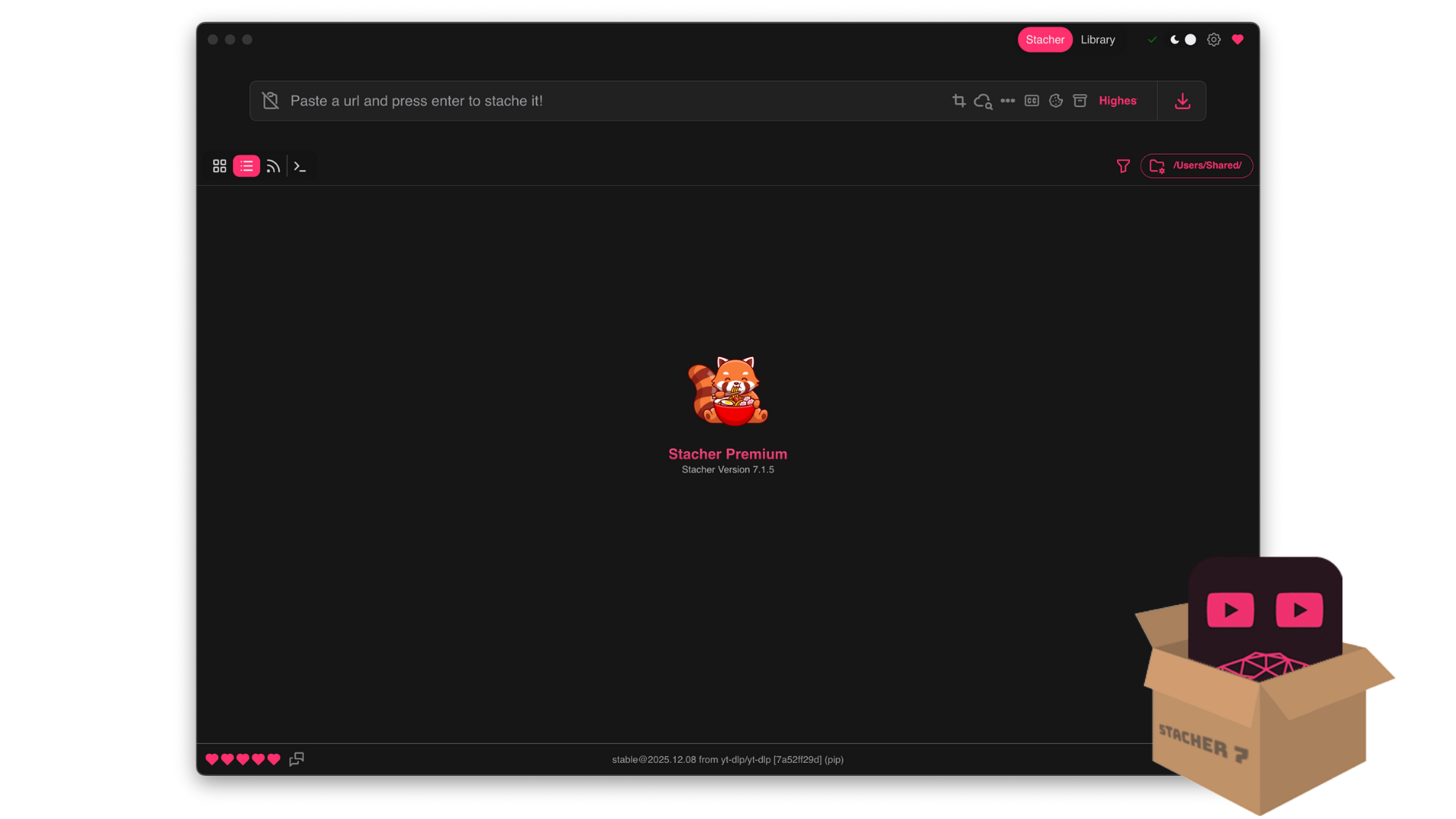
If you do not want to type commands, Stacher is one of the best free visual programs for Windows, Mac, and Linux. It is built on top of yt-dlp, so it uses the same reliable engine. The first time you open it, it automatically installs yt-dlp and FFmpeg for you. It has no ads, no bundled software, and no hidden fees.
Important note: The yt-dlp engine inside Stacher is open-source, but the Stacher program’s own interface code is currently not open-source. However, it is still much safer than closed-source paid tools because it is free, has no ads, and its developers are active in public communities.
https://stacher.io/static/media/base_1.247178e25f8d3d09d5b3.png
Seal: A Mobile App for Android
For Android phones, Seal is a free downloader based on yt-dlp. It follows an open-source license and its code is fully public on GitHub. It supports over 1,000 platforms, can download up to 4K quality, has a clean modern design, and contains no ads, no tracking, and no in-app purchases.
Because Google’s Play Store does not allow apps that download copyrighted content, Seal is not available there. You need to install it from F-Droid (a trusted open-source app store) or GitHub. This actually proves its transparency — F-Droid checks that the app you install matches the public source code exactly.
Why are open-source tools safer?
- Their code can be reviewed by anyone, so hidden harmful code is quickly found and removed.
- They are updated frequently to keep up with YouTube changes.
- They are free, with no subscription traps.
- They contain no ads or tracking.
- They properly combine video and audio.
Important warning: Using open-source tools only protects you from malware and scams. It does NOT make downloading copyrighted videos legal. You still need to respect YouTube’s terms and copyright laws. Only download videos that you have permission for, videos under Creative Commons licenses, or videos you uploaded yourself.
2: Ask the Creator for Permission and the Original File
If you need a specific video for studying, training, or reference, contact the creator directly. Ask for written permission, and request that they send you the original file through a cloud storage service. This way, you are not breaking any terms (because you are not pulling the file from YouTube), and you are not violating copyright.
3: Look for Creative Commons and Public Domain Content
On YouTube, you can search for videos, then use the filter option to select “Creative Commons.” These videos come with licenses that allow certain types of reuse. But be sure to check the specific license — some allow commercial use, others do not, and some do not allow changes to the content. Public domain content (where the copyright has expired or been given up) is also free to download and use.
4: Download Your Own Uploaded Videos
If you uploaded a video to YouTube, you can download it anytime through YouTube Studio, or use Google Takeout to export your entire channel. This is completely legal.
5: Use Other Authorized Platforms
Many creators also share their videos on Patreon, Substack, or their own cloud storage, where they provide MP4 files for download. Subscribing there is usually safer and more straightforward than trying to download from YouTube.
6: Subscribe to YouTube Premium
This is the simplest official option. You accept the limits (1080p max, 29-day expiry, locked files), but you get a legal, hassle-free way to watch offline. If your main need is “watching on the subway,” this is good enough for most people.
The Bottom Line
The core problem behind all these YouTube download dangers can be summed up in one sentence: users want to save videos and have full control over the files, but the official platform keeps those files locked inside its own app.
This gap creates a huge gray market. The people running these shady operations put users at risk of harmful software, privacy leaks, and legal trouble. The money you think you are saving by not paying for Premium could cost you much more — from poor video quality and scam subscriptions to having your computer secretly used by criminals.
The real solution is this: if you must download, use open-source, community-maintained tools like yt-dlp, Stacher, or Seal to at least protect yourself from harmful code and scams. At the same time, only download content that you have permission to save — videos from creators who said yes, Creative Commons content, or your own uploads. This way, you stay safe on both the technical side and the legal side.
Everything else — the free download websites, the closed-source paid apps — is asking you to pay with your security, your privacy, and your legal safety, so that someone else can profit from your data or your internet connection.
If you have a specific video you want to watch offline (like a tutorial, documentary, or concert), tell me what it is. I can help you find out if the creator offers a legal download option or if it is available under a Creative Commons license. That is always better than trying to pull it from YouTube.